
PC Repair Driver — Repair, Update & Optimize Your Windows PC
Review driver health, troubleshoot common Windows issues, clean recoverable storage, monitor memory and performance, and manage installed apps from one clear desktop dashboard. PC Repair Driver is built for practical Windows maintenance with visible checks and user-controlled actions.
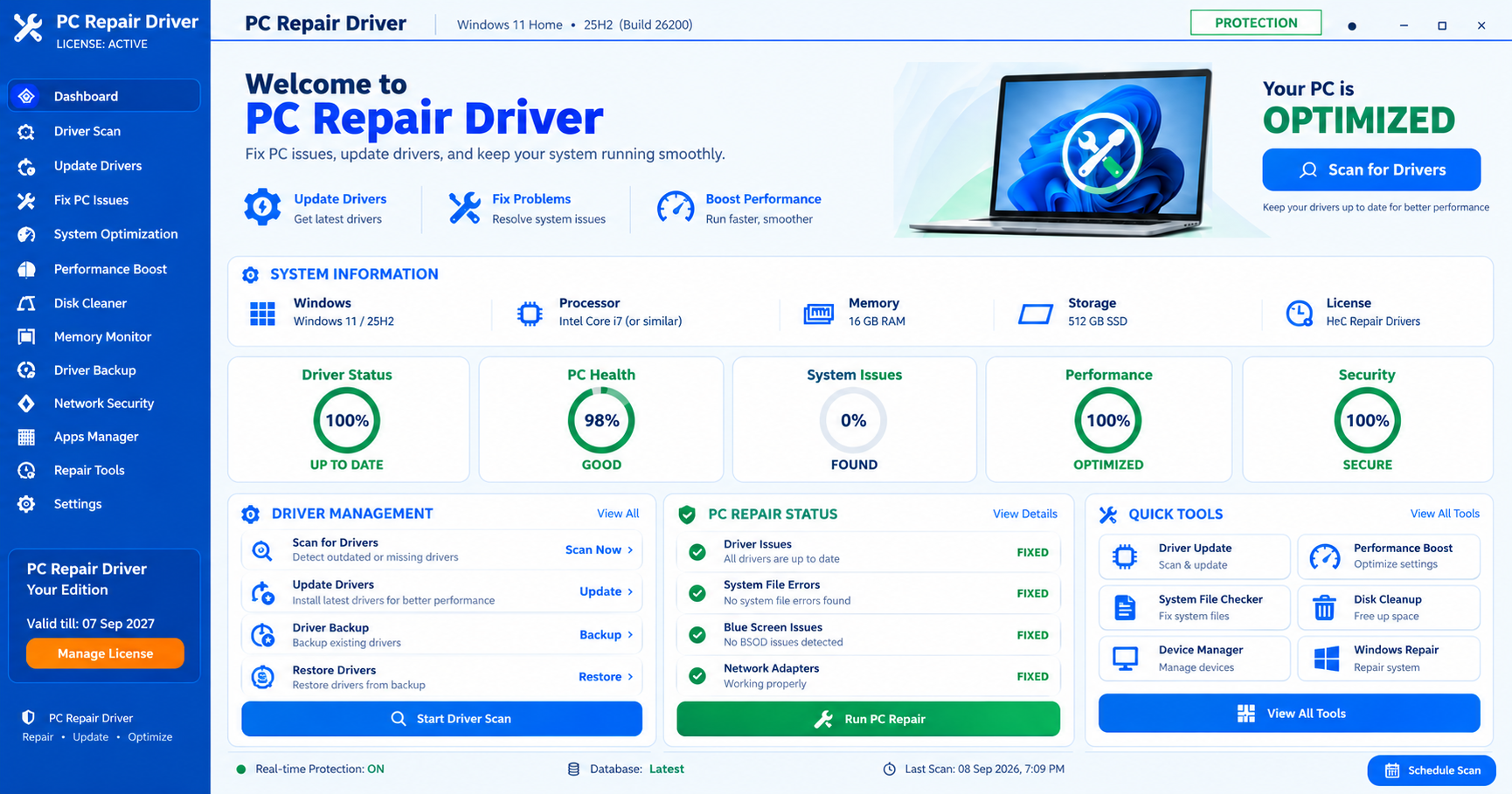
Everything you need for everyday PC maintenance.
Designed around clear Windows checks and supported actions, with a dashboard that keeps security, privacy, performance, drivers and applications easy to review.
Virus & threat scanning
Run supported Windows security scans and review current protection signals in one place.
Privacy protection
Review common privacy traces and supported cleanup opportunities before taking action.
Performance review
Inspect startup, CPU, memory and system-health signals without hiding what is being checked.
Disk cleaner
Review temporary and recoverable storage items before cleanup.
Driver health
Review Windows device and driver information, status and supported repair paths.
Apps manager
See installed applications and launch their official uninstall process from one organized list.
Purchase, receive your key, activate.
Select your license
Choose a 1-year or 3-year license for 1 to 5 PCs.
Pay securely
Complete checkout using the available card or PayPal payment option.
Get your activation key
After verified payment, the key is shown on-screen and also sent to your purchase email.
1-year and 3-year plans for 1–5 PCs.
Choose the license term first, then select how many Windows PCs you want to cover. Pricing starts at $299.99 for 1 PC / 1 Year and $499.99 for 1 PC / 3 Years.
1 Year
Choose 1, 2, 3, 4 or 5 PCs.
- 1–5 Windows PCs
- 1-year activation term
- Digital activation-key delivery
- PayPal or card checkout
3 Years
Choose 1, 2, 3, 4 or 5 PCs.
- 1–5 Windows PCs
- 3-year activation term
- Digital activation-key delivery
- PayPal or card checkout
Understand your PC before you change it.
PC Repair Driver organizes everyday Windows maintenance into focused areas so you can review what the system reports before choosing an action. It is designed to make driver checks, repair tools and performance information easier to understand without presenting every warning as a guaranteed fault.
Driver health & device review
Review detected devices, driver status and supported update paths. Driver availability can depend on Windows Update and the hardware manufacturer.
Windows repair tools
Open supported Windows repair and diagnostic actions for system files, startup, network configuration and other common maintenance areas.
Performance visibility
See memory, startup, storage and performance signals in one place so you can decide what actually needs attention.
Driver backup workflow
Keep a recovery-minded workflow when working with drivers. Back up important data and use supported restore options before material system changes.
Network diagnostics
Review adapter, connectivity and common Windows network signals before using repair options that can temporarily interrupt connectivity.
Installed apps
Review installed applications and use their registered Windows or vendor uninstall process instead of force-deleting program folders.
PC Repair Driver FAQ
Quick answers about licensing, Windows compatibility, driver checks, payments and activation.
What does PC Repair Driver do?
It combines driver-health review, PC repair tools, system optimization checks, performance monitoring, disk cleanup, memory monitoring, network diagnostics, app management and related Windows maintenance features in one desktop application.
Does it work on Windows 10 and Windows 11?
PC Repair Driver is designed for supported Windows 10 and Windows 11 systems. Individual checks may depend on your Windows edition, hardware, permissions and installed Windows services.
Are driver updates automatic?
Driver availability and installation paths can vary by device. PC Repair Driver can help review driver status and supported update options, but you should review a proposed driver change before installing it.
Will the software fix every Windows problem?
No software can guarantee that every PC issue can be automatically repaired. Hardware failure, unsupported drivers, damaged Windows components and third-party software conflicts may require additional troubleshooting.
What are the current plans?
Plans are available for 1 to 5 PCs. One-year pricing ranges from $299.99 to $1,499.95, and three-year pricing ranges from $499.99 to $2,499.99.
How will I receive my activation key?
Once the payment is verified, the license key is displayed on the payment-success page and a branded license email is sent to the email address used at checkout.
What happens after activation?
The software associates the license with the permitted PC and shows the active license term. The website can also send an activation-confirmation email when the activation API records a successful activation.
Can I use one key on multiple PCs?
No. The current PC Repair Driver plans are for one PC. A key should not be shared across multiple computers unless a future plan specifically states otherwise.
Which payment methods are available?
The website supports PayPal and Card Payment when the corresponding live gateway credentials and product IDs are configured on the server.
Where can I read the policies?
Please review the Terms, Privacy Policy, Refund Policy and Disclaimer linked in the website footer before purchasing.